Server
Running the server enables your tablet device to receive Blender's views as canvas captures and then send back the strokes you draw with the stylus on your tablet.
Keep in mind
This server runs in your local network only. It's not visible to the outside world.
Canvases
Canvases are stored 3D views with their unique location, rotation, lens and various "view styles", such as shading type, matcap or studio light selections or the chosen render engine.
Canvases are the contextual background layers your annotations sit on top of, like a shelf that keeps them organized.
Hyper Pencil
In the previous two videos I have explained the foundational ideas of INKit: the server and canvases.
The Hyper Pencil tool is what pulls these together into a seamless user experience, and is how I use INKit myself and would recommend it to most people.
Note
You can use INKit without the Hyper Pencil tool, using only the sidebar, but what the tool gives us is additional context in the form of graphical thumbnails, keymaps and smarter ink display.
The Two Workflows
Once you understand both the sidebar and the tool workflows you should decide which one you want to use.
If you pick the Hyper Pencil tool workflow, I suggest you disable the Show Ink property in the sidebar.
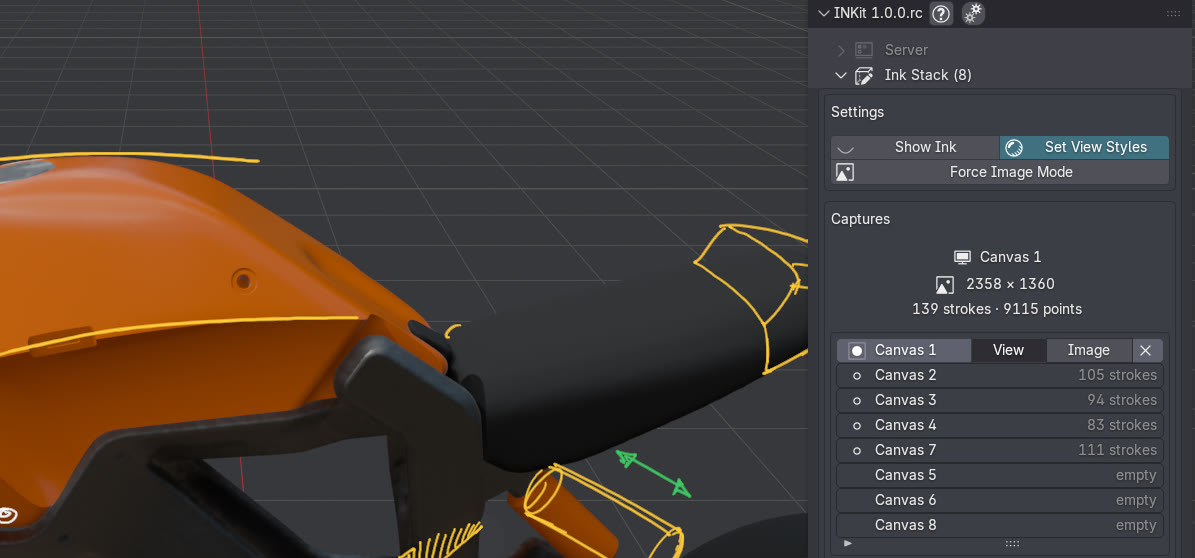
Show Ink is disabled in the sidebar, but notes are still shown on the 3D view because the tool is active